 Dinner Appointments
For ward mission leaders: your job is getting the ward on it
For ward mission leaders, ward councils and bishoprics.
In short: you don’t schedule dinners. You get the ward using Dinner Appointments, and the app keeps the calendar full: it texts members open nights, invites past hosts back, reminds hosts and tells the missionaries. You hear from it when a week is still short.
Set up the ward once
Open the iPhone app (or the website on Android), choose to set up a new ward, and enter the ward’s unit number, its name and the missionaries’ cell numbers. The missionaries get a text asking them to confirm. The ward gets its own code, and it is live as soon as one member has joined.
Your real job: adoption
The more households use it, the more the calendar runs itself. These are the things that move people:
- Put the ward code everywhere. The ward group chat, the roster, the bulletin, a Sunday handout. The code is the whole sign-up.
- Mention it in ward council and on Sunday. A thirty-second announcement does more than any feature.
- Invite people by name. In the iPhone app, anyone can invite a ward member with their name and cell number; the invite text goes from the inviter’s own phone.
- Don’t leave out members who don’t use apps. They can book by text or a phone call; see booking by text or phone.
- Ask the missionaries to help. When they confirm a dinner with a family, they can point the family to the app.
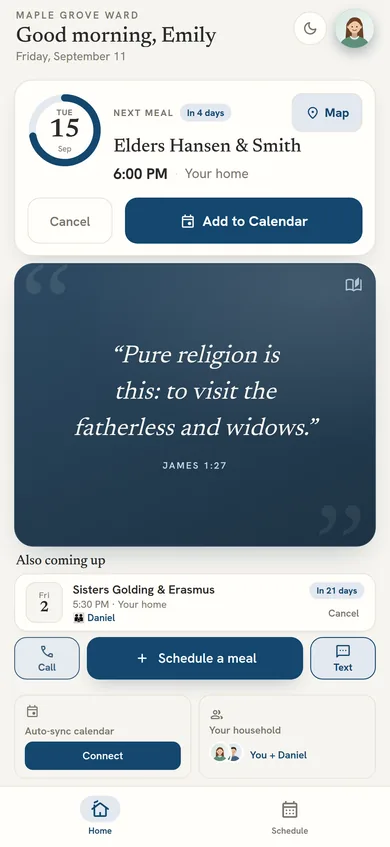
What the app does on its own
- Texts members who have never hosted, with a couple of nights that are still open.
- Invites past hosts back after a few weeks, around the day and time they usually host.
- Reminds every host before the dinner, by app notification, text or email.
- Texts the missionaries their schedule for the next day each evening.
- Shows each host the missionaries’ allergies and food notes before they cook.
- Follows the mission president’s rules (for example, which days dinners are allowed) on every booking.
- Alerts you when a week is still short, so you know when a personal ask is needed.
The few things only you do
- Transfers: when missionaries change, update the companionship once from the Missionaries tab.
- Your ward code: it is unit number – four digits. Copy or share it from Settings. The four digits change every six months (you’re emailed the new ones), and you can replace them sooner if the code gets out.
- Short weeks: when the app says a week is thin, make the personal ask.
Questions
What does the ward mission leader have to do?
Mainly one thing: get the ward using it. Share the ward code, invite members, and keep encouraging households to join. The leader does not run the schedule. Dinner Appointments texts members who have never hosted with open nights, invites past hosts back, reminds hosts the day before and tells the missionaries what is coming. The leader is alerted only when a week is still short.
How do I set up our ward?
In the iPhone app, or the website on Android, choose to set up a new ward and enter the ward's unit number, name and the missionaries' cell numbers. The ward gets a code to share and is live once one member joins.
How do I get members to use it?
Share the ward code in the group chat, roster, bulletin and on Sunday, mention it in ward council, and invite people by name from the app. Members who don't use apps can book by text or phone.
Do I have to fill the calendar myself?
No. Dinner Appointments texts members open nights, invites past hosts back and reminds hosts. You are alerted only when a week is still short.
What happens when missionaries are transferred?
Update the companionship once from the Missionaries tab. The households and the calendar carry on.